




Best IPTV Subscription for TCL Smart TV
Best IPTV Subscription for TCL Smart TV
Operating Systems for TCL TV
1.Android TV System
- – Smart Interface: Provides access to thousands of apps via Google Play Store.
- – Integrated Google Services: Includes Google Assistant for voice control and Chromecast for streaming content from your phone.
- – Popular Apps: Supports platforms like YouTube, Smarters Player, IBO Player, Netflix, and Amazon Prime.
2. Roku TV System (in some models)
- – Ease of Use: Features a simplified interface and easy navigation.
- – Large Selection of Channels: Over 5,000 live channels and apps.
- – Smart Control: Ability to control the screen through the Roku app on a smartphone.
3. WebOS System (in some models)
- – Fast Performance: Provides instant response and smooth app operation, similar to the system found on LG Smart TVs.
- – App Store: Supports downloading popular entertainment apps.
- – Advanced Technologies: Integrated with AI features to enhance the viewing experience.
4. Linux System
- – Simple and Fast: Suitable for people who prefer a traditional interface without complexity.
- – Limited Apps: Supports basic video streaming apps like Netflix, YouTube, Smarters Player, and IBO Player.
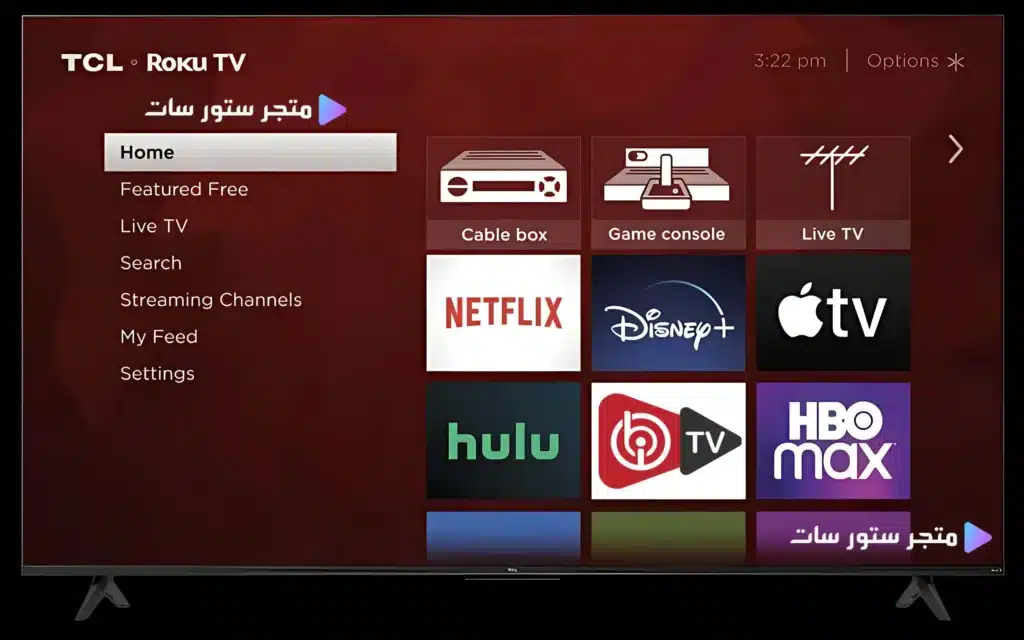
A View of the TCL Smart TV Menu Showing the IBO Player App
Features of IPTV Subscription from Store SAT
How to Download IPTV Apps
Store SAT offers you a premium selection of IPTV applications and players, specially designed to meet your needs. The store features dedicated, ultra-fast download servers that support all operating systems, ensuring you a smooth and hassle-free experience.
- Download IPTV apps on iOS devices
- Download IPTV apps for Android devices
- Download IPTV apps on Windows devices
We Accept Various Payment Methods Worldwide.
-
- VISA & MasterCard & Apple Pay & PayPal & USDT binance & Payooner & Redotpay – U.S & Worldwide
- VISA & MasterCard & Apple Pay & Paysera & Wise & MYFIN – European Union
- VISA & MasterCard & Apple Pay & Wise – United Kingdom
- VISA & MasterCard & Apple Pay Mada Pay & PayPal & Bank transfer & STC Pay – Saudi Arabia
- VISA & MasterCard & Apple Pay & PayPal & Bank transfer – United Arab Emirates
- VISA & MasterCard & Apple Pay & PayPal – Qatar – Kuwait – Oman – Bahrain
- VISA & MasterCard & Apple Pay & InstaPay & Smart Wallet & Bank Transfer – Egypt
- VISA & MasterCard & Bank transfer – Turkey
- PS5 Gift Cards – UAE and U.S
Note: We accept local currencies in most countries and international currencies worldwide.
For activation on most devices, you can contact us via WhatsApp through the “Store SAT“ store available above.
Follow the “Store SAT” on Telegram through this link.
All rights reserved to Store SAT.

Reviews
There are no reviews yet.