




Renewal of Panda IPTV Server Subscription

Renewal of Panda IPTV Server Subscription
Renewing the Panda IPTV server subscription – today we will cover the topic of renewing the Panda IPTV server subscription, which is considered one of the leading servers in the field of IPTV services. This server is known for its wide and diverse support, being available on many receiver devices.
Among the most notable features of the Panda IPTV server is its strong content library, offering a variety of movies and series, including Arabic, Turkish, foreign, and Asian content. It also provides access to premium live channels, including sports channels such as beIN SPORTS, and entertainment channels such as OSN and MBC HD, along with other popular channels.
Renewing your Panda IPTV server subscription ensures that you continue to enjoy this wide range of premium content.
Overview of Panda IPTV Subscription Packages
beIN SPORTS Channels:
– Offers a comprehensive list of beIN SPORTS channels in multiple qualities.
Entertainment & Heritage Channels:
– Includes channels such as MBC HD, OSN, Rotana TV, Nile TV, Fox TV, ART Aflam, and ART Hakayat, among many others.
Free Sports Channels:
– Includes channels like On Time Sports, KTV Sport, Nile Sport, Al Kass Sport, and AD Sport, among others.
Encrypted Sports Channels:
– Includes SSC Sport, Abu Dhabi Sports, and many other sports packages.
Variety Channels:
– Covers entertainment, cultural, educational, general, and government channels.
Extensive Content Library:
– Features a large library of Arabic, Turkish, foreign, and Korean movies and series.
These diverse packages ensure a complete and unique experience that fulfills both entertainment and informational needs.
How to Renew Panda IPTV Server Subscription
Steps to subscribe to the Panda IPTV server:
Device Requirements:
– You must have a receiver device that supports Panda IPTV and operates using a code-based system.
Contact Customer Support:
– Reach out to Store SAT customer service to get payment details and complete the purchase process.
Enter Recharge Code:
– After completing the payment, you will receive a recharge code. Enter it in the “Panda IPTV” field under the “Active Code” option and press “OK.”
Subscription Activation:
– Your subscription will be activated for 12 months after successfully entering the recharge code.
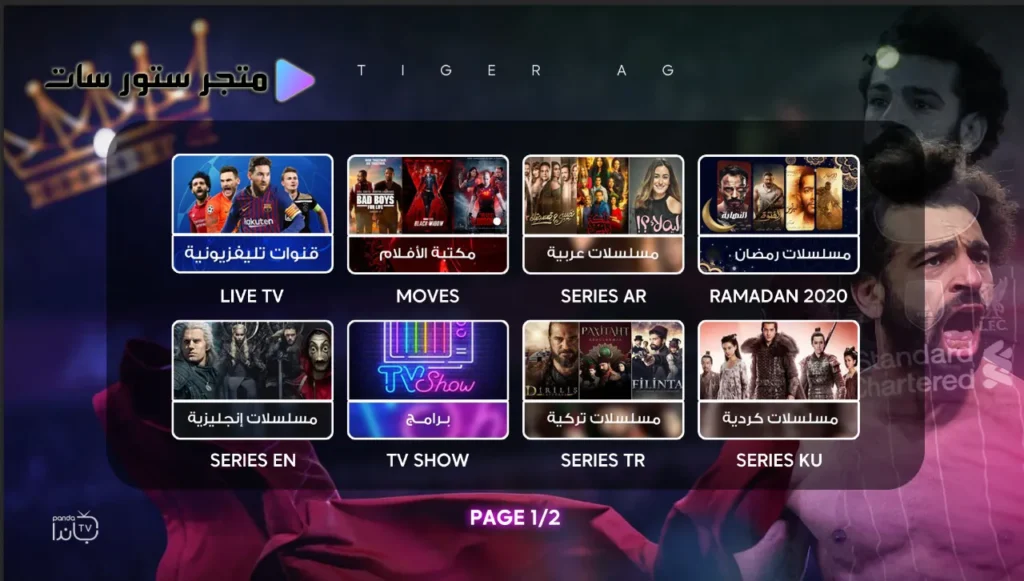
Image of the Panda IPTV application on a receiver.
How to Download IPTV Apps
Store Sat offers you a premium collection of IPTV apps and players, specifically designed to meet your needs.
The store features dedicated, high-speed download servers that support all systems, ensuring you a smooth and hassle-free experience.
- Download IPTV apps for Android devices
- Download IPTV apps on iOS devices
- Download IPTV apps on Windows devices
We Accept Various Payment Methods Worldwide.
- VISA & MasterCard & PayPal & USDT binance & Payooner & Redotpay – U.S & Worldwide
- VISA & MasterCard & Paysera & Wise & MYFIN – European Union
- VISA & MasterCard & Wise – United Kingdom
- VISA & MasterCard & Mada Pay & PayPal & Bank transfer & STC Pay – Saudi Arabia
- VISA & MasterCard & PayPal & Bank transfer – United Arab Emirates
- VISA & MasterCard & PayPal – Qatar – Kuwait – Oman – Bahrain
- InstaPay & Smart Wallet & Bank Transfer – Egypt
- VISA & MasterCard & Bank transfer – Turkey
- PS5 Gift Cards – UAE and U.S
Note: We accept local currencies in most countries and international currencies worldwide.
For activation on most devices, you can contact us via WhatsApp through the “Store Sat” shop available above.
Follow the “store sat” store on Telegram through this link.
All rights reserved to Store SAT.




Reviews
There are no reviews yet.