




IPTV Free Trial — Test 24 Hours Before You Buy

An iptv free trial should answer one question before you spend money: does the service work well on your own device, network and priority channels? Store SAT currently offers a full 24-hour trial with Standard and Premium versions, so you can test the real service instead of choosing from claims alone.
If you are comparing several no-cost options before committing, start with Free Servers and use the trial as a controlled test rather than a day of random channel surfing.
Start the 24-hour trial with the device you will actually use
Tell support which device and operating system you use, the country you are in and, if you already have one, the IPTV player installed. Testing on your real setup matters because a service that performs well on a phone may behave differently on an older Smart TV or low-powered box.
- Android phones, Android TV and TV Box devices.
- iPhone, iPad, Apple TV, MacBook and iMac where a compatible player is available.
- Smart TVs including supported LG, Samsung, Sony, Philips, Toshiba, Tornado and TCL models.
- PC and laptop devices with a suitable player or supported access method.
Store SAT also publishes practical setup and testing material in Articles & News, which is useful if you want to prepare your device before the trial starts.
What the free trial includes and what the two versions mean
The current trial page lists Standard and Premium versions. Premium can include streams from low resolution through FHD and 4K, a broader channel selection, 4K and 3D movie options, and priority content updates and support. Standard focuses on low-to-HD quality and a more limited selection. Actual resolution still depends on the source, device and connection.
| Trial version | Quality range | Content scope | Best way to use the test |
|---|---|---|---|
| Standard | Low to HD | More limited channel and VOD selection | Check basic compatibility and everyday playback |
| Premium | Low to FHD and 4K where available | Broader live and VOD selection | Test high-quality streams and priority content |
If your setup is receiver-based rather than app-based, a free cccam server tests a different technology and should not be confused with an IPTV trial.
Use this six-point checklist during the 24 hours
- Test priority channels first: choose the sports, local or entertainment channels you would actually pay for.
- Test during peak viewing time: an afternoon result does not tell you how the service behaves during an evening match.
- Leave a stream running: watch for at least 30 to 60 minutes so brief freezes or reconnects become visible.
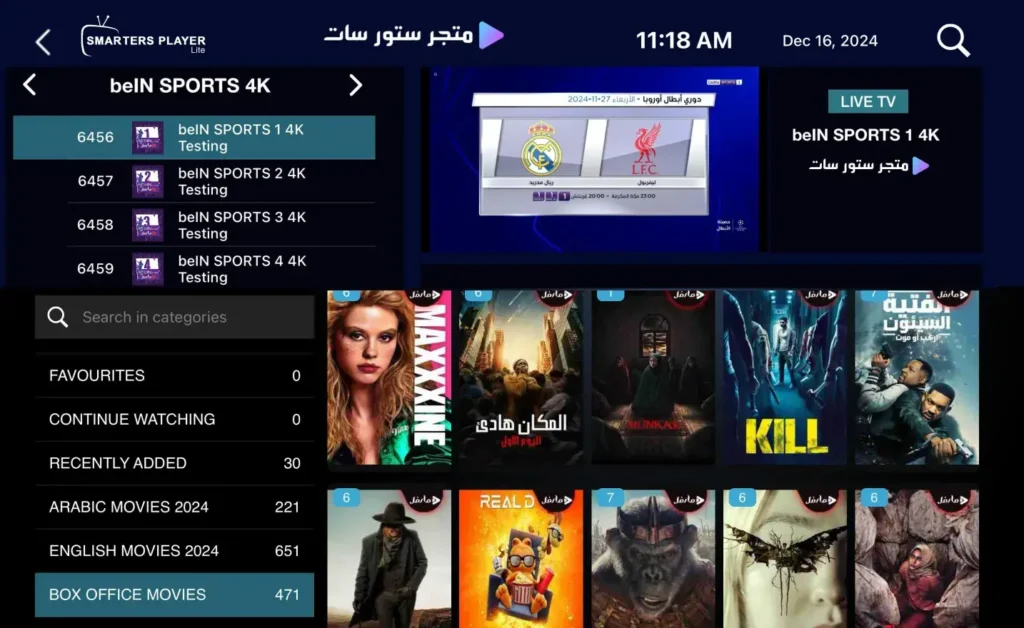
- Open VOD and EPG: test movies or series, seeking, subtitles and the program guide if these features matter to you.
- Use your final device: do not approve the service on a phone if your real viewing will be on a Smart TV.
- Test support: ask one genuine technical question and judge whether the answer helps you solve it.
For another Store SAT test option tied to satellite sharing, review the Free cccam server provided by the Store SAT t page and keep the two test types separate.
Read the result like a buyer, not like a channel counter
Write down the device, player, network type, time and exact channel when a problem appears. If the same account works on another network, your local connection may be the cause. If several devices fail at the same time on the same content, send that pattern to support instead of simply saying the server buffers.
Do not change the app, router, DNS and device at the same time. Change one variable, repeat the same test and record the result. A structured trial tells you far more than a headline channel count because it measures the things you will notice after purchase.
What happens when the free 24 hours end
You are not required to choose the longest plan just because the test worked. Decide whether Standard or Premium matched your needs, confirm the allowed number of simultaneous connections, ask whether the player needs a separate activation, and then request the current Store SAT price for the duration you want.
If you want to keep comparing free options before payment, read Free IPTV Subscription – Updated Daily before the FAQ section and treat free access as testing rather than a guaranteed long-term replacement.
Make one simple trial log before you decide
Create a short note with five fields: device, player, network, time and content tested. Record whether the stream started quickly, stayed stable and recovered cleanly after channel changes. Repeat one or two priority channels at a second time of day. This gives you evidence you can compare instead of relying on memory or a five-minute first impression.
If Premium looks better only because you tested it on a different device or faster network, repeat the same conditions before choosing. A fair test keeps the hardware and connection stable so the difference you observe is actually related to the service version.
Free IPTV trial FAQ
Is the Store SAT IPTV trial really free for 24 hours?
Yes. The current Store SAT product page presents the trial as free for a full 24 hours and offers Standard and Premium versions.
Do I need a bank card for the trial?
The offer is designed to let you test before paying. Confirm the current activation steps with Store SAT when requesting access.
Does Premium mean every channel is 4K?
No. Premium supports quality up to 4K where available, but individual streams can be low, HD, FHD or 4K depending on the source and content.
Can I test on Samsung or LG Smart TV?
Yes when a compatible player is available for the model and region. Send the TV model or operating system before activation if you are unsure.
What should I do if the trial buffers?
Test the same channel on Ethernet or another network, try a compatible player and record the time. This helps separate a local network problem from a service issue.
Can I use the trial on several devices at once?
Do not assume multiple simultaneous connections are included. Ask Store SAT for the connection limit before testing more than one stream at the same time.
Choose the paid plan only after your test has earned your confidence
If the trial performs well on your actual device, priority channels and peak-time network, compare the current paid options at StoreSat Store – Quality IPTV Servers.
Ask Store SAT for its current price at the moment you subscribe. This page does not import competitor pricing or invent a number when the Store SAT product data does not expose one.

Reviews
There are no reviews yet.