




IPTV for Samsung TV — Works on Tizen
IPTV for Samsung TV is mainly a compatibility question: which Samsung model year you own, which Tizen version it runs, and which legitimate streaming player is available in Samsung Apps for your region.
If your household also uses Apple hardware, compare the separate اشتراك iptv apple tv page because tvOS and Tizen use different app ecosystems.
Check the live plan details before you choose a Samsung setup
The current product page does not expose a dependable fixed selling price, so confirm the current plan, duration, device limit, and any trial availability before payment.
| Option | Price | Best for | What to verify |
|---|---|---|---|
| Trial | Ask if available | Testing your exact TV | Duration and supported player |
| Short plan | Confirm current price | First-time Samsung users | Device limit and renewal terms |
| Long plan | Confirm current price | Users who already tested the setup | Replacement and support terms |
If you prefer an external box instead of installing directly on the television, compare اشتراك iptv tv box (تحسين جذري).
Use a player that actually appears in Samsung Apps
The current Store SAT page lists Smarters Player, IBO Player, SmartOne IPTV, and Hot Player as examples used on Samsung TVs. Availability varies by country and model year, so search Samsung Apps on the TV itself before buying a separate player licence.
- Search the app store on the exact television you own.
- Check whether the player is available in your country.
- Keep the TV software updated before troubleshooting the app.
- Use only services and content you are authorised to access.
For another smart-TV platform, see اشتراك iptv لشاشات lg.
Confirm the Samsung model and available Tizen apps before activation
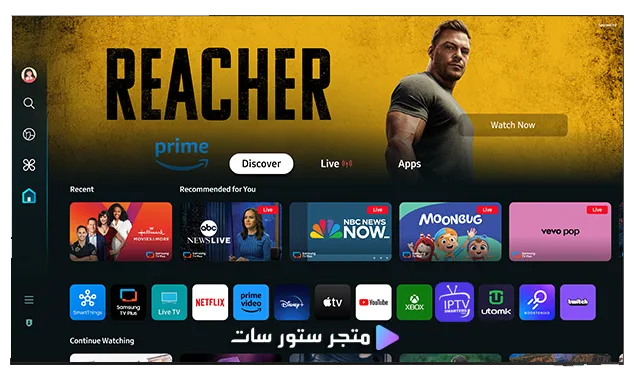
The current Store SAT page identifies Tizen as the Samsung Smart TV platform and lists Smarters Player, IBO Player, SmartOne IPTV and Hot Player as examples. App availability can still vary by model, country and Samsung Apps catalogue, so verify the player directly on the TV before buying a separate activation.
| Check | Why it matters |
|---|---|
| Exact Samsung model | Determines the TV generation and supported apps |
| Samsung Apps availability | Confirms the player can actually be installed |
| Country/account region | Some apps vary by regional catalogue |
| Player login format | Must match the credentials supplied with the plan |
Roku owners should use the dedicated IPTV on Roku guide instead.
Install the player from Samsung Apps and verify playback
- Open Home, then Apps on the Samsung TV.
- Search for the player you want to use.
- Install it only from the official Samsung app catalogue available on your TV.
- Open the app and follow its own legitimate setup process.
- Test playback quality on the same home network you normally use.
- If the app is missing, check model year, country, and Samsung account region before changing hardware.
Fix common Tizen issues before replacing the plan
| Problem | Likely cause | First check |
|---|---|---|
| Player not found | Region or model restriction | Samsung Apps and TV year |
| App will not open | Software or cache issue | Restart TV and update software |
| Playback quality is low | Network or source limitation | Ethernet or strong 5 GHz Wi-Fi |
| App keeps freezing | TV resources or app issue | Reinstall the app if necessary |
For a broader television comparison, continue to iptv on smart tv.
Payment methods and review status
The current Samsung product page lists region-specific payment methods including Visa, Mastercard and Apple Pay, with additional methods depending on the country. It also notes support for local currencies in most countries and international currencies worldwide.
The current product page shows no customer reviews yet, so no rating or testimonial is invented.
Frequently asked questions about IPTV for Samsung TV
Does a Samsung Smart TV use Tizen?
The current Store SAT page describes Tizen as Samsung’s Smart TV operating system. Confirm the exact model and available apps before setup.
Can every Samsung TV install the same streaming player?
No. Availability depends on model year, country, and the Samsung Apps catalogue for that television.
Does a player licence include a content subscription?
Not necessarily. A player licence and a separate authorised streaming service can be different products.
Why does an app work on my phone but not my Samsung TV?
The television uses a different operating system, app build, and network path, so compatibility must be checked separately.
Confirm the exact Samsung model before you commit
Send the TV model code and year to support, confirm which player is available in Samsung Apps, then choose the plan that matches your actual setup. TCL owners should use the dedicated اشتراك iptv tcl (تحسين جذري) page.


Reviews
There are no reviews yet.