



Articles & News
What Is IPTV and How Does It Work? A Plain-English Explanation

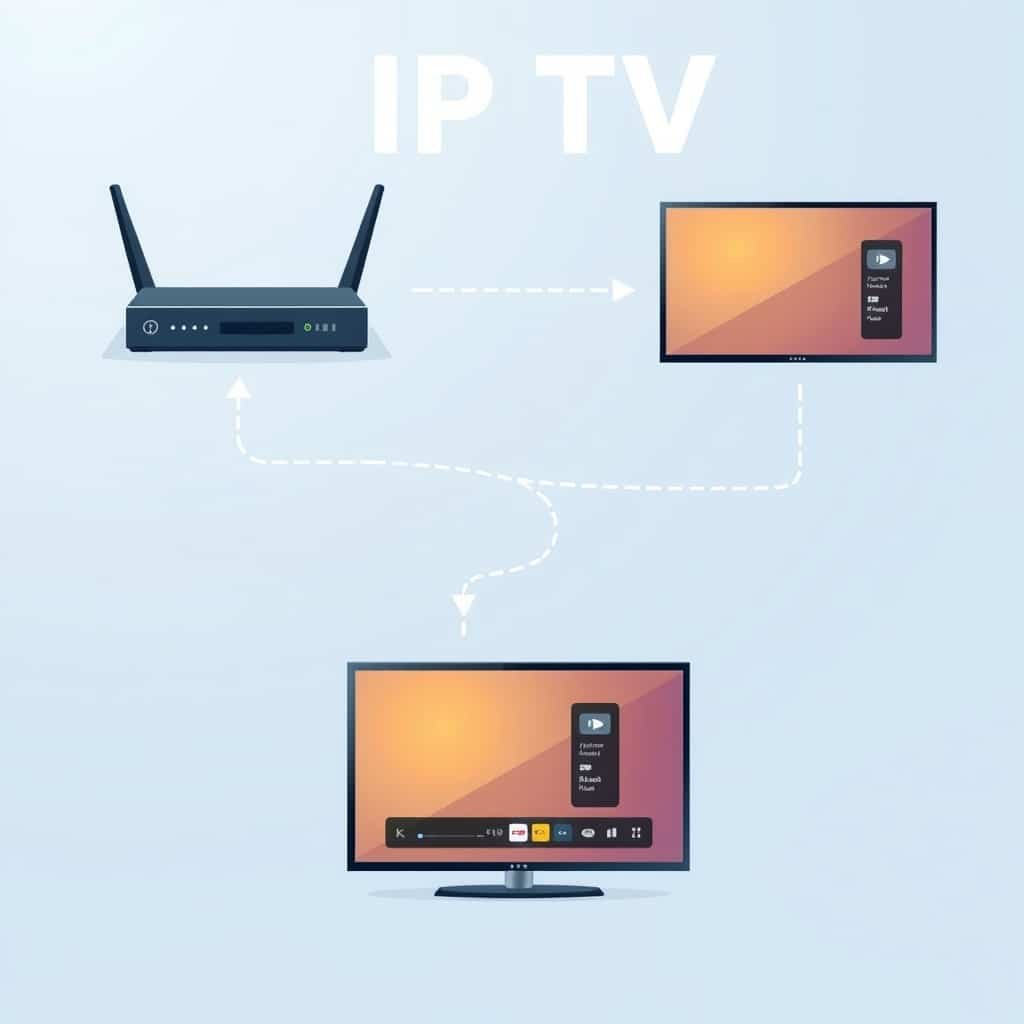
If you have heard people talk about IPTV but still are not sure what the term means, the simplest answer is this: IPTV is television delivered through an internet connection instead of a traditional satellite or cable broadcast path. The important part is not the acronym; it is the delivery method. Your screen requests a channel or video, a server sends the stream, and your player displays it in real time.
That sounds simple, but the experience depends on three separate pieces working together: the service that supplies the streams, the player or app that opens them, and the internet connection between the two. Understanding those pieces makes it much easier to diagnose buffering, choose compatible devices, and avoid paying for the wrong thing.
IPTV in one sentence: television delivered over an IP network
IPTV stands for Internet Protocol Television. In practical terms, it means TV content is sent as internet data rather than being delivered only through a satellite dish, coaxial cable, or terrestrial antenna.
A useful way to think about it is the same way you think about any online video service: you choose something to watch, your device requests it, and data is delivered to your screen. The difference is that IPTV services can combine live television, on-demand libraries, catch-up features, electronic program guides, and multiple channel groups inside one viewing system.
The phrase IPTV meaning is sometimes made to sound more complicated than it is. The technology is simply a way of transporting television over IP networks. What changes from one provider to another is the content catalog, stream quality, server capacity, compatibility, support, and whether the provider has the necessary rights to distribute the content it offers.
How does IPTV work from the server to your screen?
When you select a channel, several things happen quickly in the background. You do not need to understand networking to use IPTV, but knowing the sequence helps explain why a service may work well on one device and poorly on another.
- Your player sends a request. The app, smart TV, streaming box, or receiver asks for the channel or video you selected.
- The service delivers the stream. A server sends compressed audio and video data through the internet to your device.
- Your device decodes and displays it. The player buffers a small amount of data, decodes the stream, and presents the picture and sound on your screen.
If any step becomes a bottleneck, the result can be slow channel changes, buffering, lower picture quality, audio problems, or a stream that refuses to open. A fast speed-test result does not automatically guarantee a perfect session because stability, Wi-Fi interference, routing, server load, device performance, and the quality of the source all matter.
Why buffering happens even with fast internet
Imagine a connection that can download very quickly but drops packets every few seconds. A speed test may still look impressive, while live video stutters because the stream needs consistent delivery. The same problem can happen if the provider’s server is overloaded during a major sports event or if an older smart TV struggles to decode a high-bitrate stream.
That is why troubleshooting should isolate one variable at a time: test another channel, restart the player, compare Wi-Fi with Ethernet, try another network, and check whether the same issue appears on a second device. A structured IPTV buffering fix is more useful than randomly changing every setting at once.
IPTV vs cable vs streaming platforms: what is actually different?
All three can put video on a television, but they are built around different delivery and content models.
| Option | Delivery | Typical strength | Typical limitation |
|---|---|---|---|
| IPTV | Internet protocol stream | Live TV plus flexible channel and VOD access | Quality depends heavily on provider and connection stability |
| Cable or satellite | Dedicated broadcast infrastructure | Predictable traditional TV experience | Less portable and often tied to local hardware or packages |
| Streaming platforms | Internet apps | Strong on-demand libraries and polished apps | Usually fragmented across multiple subscriptions and may not include broad live-channel coverage |
IPTV is not automatically better or worse than the alternatives. The right choice depends on what you actually watch. Someone who wants a few on-demand series may be better served by a mainstream streaming platform. Someone who wants a broad live-channel lineup across several categories may value a different setup.
What do you need to run IPTV? Only three essentials
You do not need specialist hardware in most cases. A working setup usually needs three things.
- A service source: the account, playlist, portal, or login that provides the channels and VOD catalog.
- A compatible player or device: a smart TV app, Android TV box, Fire TV device, phone, tablet, computer, or compatible receiver.
- A stable internet connection: not merely a high peak speed, but enough consistent bandwidth for the quality you plan to watch.
The player and the service are not the same product. This is one of the most common beginner mistakes. An app can be free, paid, or require a separate activation fee while still containing no channels at all until you add service credentials.
If you plan to use a popular player, it helps to understand the setup flow before buying anything. A dedicated IPTV Smarters Pro guide can show where login details go and which parts belong to the player rather than the service.
How much internet speed do you need?
There is no single number that fits every stream because bitrate varies by source, resolution, codec, frame rate, and provider. As a practical rule, leave comfortable headroom above the actual bitrate instead of choosing a connection that barely meets it. If several people in the home are gaming, downloading files, joining video calls, or streaming at the same time, your available bandwidth is shared.
For a 4K setup, device decoding ability and Wi-Fi quality can matter just as much as the headline speed from your internet plan. Ethernet is often the simplest way to rule out wireless instability.
Live TV, VOD and catch-up are three different experiences
An IPTV interface may present everything inside one app, but live channels, video on demand, and catch-up television are technically different use cases.
Live TV
Live TV is a continuous stream that follows a schedule. Sports, news, and scheduled entertainment are the clearest examples. Live viewing is usually the most sensitive to instability because there is less room to buffer far ahead.
Video on demand
VOD lets you start a movie, episode, or other stored video when you want. Because the content is not tied to a live schedule, a player may be able to buffer more aggressively and recover from short connection fluctuations more easily.
Catch-up
Catch-up allows selected past programs to be played after their original broadcast time. Availability varies by channel and provider, and it should never be assumed simply because a service offers live TV.
Common myths about IPTV that cause bad buying decisions
Several misconceptions make first-time buyers focus on the wrong signals.
- “More channels always means a better service.” Huge channel counts can include duplicates, regional variants, inactive entries, and several quality versions of the same source.
- “If my internet is fast, buffering must be the provider.” It could be, but Wi-Fi interference, device limits, DNS issues, or local routing can also be responsible.
- “The app includes the channels.” Most player apps are only playback tools. The service credentials are separate.
- “4K in the channel name guarantees 4K quality.” A label is not a measurement. Real resolution, bitrate, source quality, and compression determine what you see.
- “Every provider offers the same catalog.” Channel availability, VOD libraries, catch-up support, and regional coverage can differ substantially.
Is IPTV legal?
The technology itself is not inherently illegal. IPTV is simply a method of delivering video over internet protocol networks, and many legitimate television and streaming services use similar delivery technologies.
The legal question is about content rights and authorization. A provider needs the appropriate rights or licenses for the content it distributes. Rules also vary by jurisdiction, so buyers should check the terms of the service and the laws that apply where they live rather than assuming every service using the IPTV label is equivalent.
A sensible buyer focuses on transparency: clear business information, realistic claims, accessible support, published policies, and a willingness to explain what is included. Extremely broad promises with no verifiable details should be treated carefully.
Is IPTV right for you?
IPTV can make sense when your priority is flexible access to live channels across compatible internet-connected devices, especially if you value portability and a consolidated viewing interface. It may be less attractive if your internet connection is unstable, if you only watch a handful of on-demand shows, or if you prefer the simplicity of a traditional TV package with local support.
Before deciding, write down the five things that matter most to you: the channels you actually watch, your main device, how many devices will be used at once, the quality you expect, and the times you usually watch. Those answers are more useful than chasing the largest advertised channel number.
When you are ready to compare options, the next step is not to choose the cheapest plan. It is to evaluate stability, device limits, support, channel coverage, and trial options. Our IPTV subscription guide walks through those buying criteria in order.
FAQ
What is IPTV in simple terms?
IPTV is television delivered through an internet connection using internet protocol technology. A server sends live or on-demand video data to a compatible player on your TV, phone, computer, streaming box, or receiver.
Do I need a smart TV for IPTV?
No. A smart TV is convenient, but it is not required. You can use a compatible streaming box, phone, tablet, computer, or receiver and connect it to a display if needed.
Does an IPTV player come with channels?
Usually not. A player is the software interface that opens streams. The service or account that provides channels is normally separate, so you should verify exactly what you are buying before paying.
Why does IPTV buffer?
Buffering can come from an overloaded server, an unstable internet route, weak Wi-Fi, insufficient bandwidth, device limitations, or a problematic source stream. The best diagnosis changes one variable at a time.
Can I use IPTV on more than one device?
You may be able to install the player on several devices, but simultaneous viewing depends on the number of concurrent connections allowed by the service. One connection usually means one active stream at a time.
Is IPTV the same as Netflix?
No. Both can deliver video over the internet, but IPTV often emphasizes live television alongside VOD, while services such as Netflix are primarily on-demand platforms with their own licensed catalogs.
Do I need a VPN?
Not automatically. A VPN can change routing and privacy characteristics, but it can also reduce speed or add latency. It should be used for a specific reason rather than as a default fix for every playback problem.
Can IPTV work over Wi-Fi?
Yes, provided the Wi-Fi connection is stable enough. For high-bitrate streams or difficult wireless environments, Ethernet can provide a more consistent connection and is useful for troubleshooting.
What is an M3U playlist?
An M3U playlist is one method of supplying a list of stream locations to a compatible player. Other systems may use account credentials, portal URLs, or API-style logins instead.
What is an EPG?
EPG stands for Electronic Program Guide. It displays scheduled program information for supported channels, such as show names and times. Its quality depends on the guide data supplied by the service.
Can I test IPTV before paying for a long plan?
Some providers offer short trial periods. A free IPTV trial can be useful for checking your actual device, network, important channels, and peak-time performance before committing to a longer term.
Where can I compare available service options?
If you already understand the technology and want to compare the available lineup, review the current IPTV servers and check device limits, duration, coverage, and support details rather than judging by channel count alone.
Conclusion: understand the three layers before you choose anything
IPTV explained simply comes down to three layers: a service supplies the streams, a player opens them, and your internet connection carries them to the device. Most confusion starts when those layers are treated as one product. Once you separate them, problems become easier to diagnose and offers become easier to compare.
If the technology fits the way you watch TV, test it on the device and network you actually use rather than relying only on marketing claims. A short free IPTV trial can help you validate performance before a longer commitment. If you still have setup or compatibility questions, use the site’s English support resources before making a decision.