




Rivolut Player IPTV Subscription Activation — Fast Player Setup
Rivolut Player IPTV Subscription Activation unlocks the Rivolut Player media player on a supported device. It does not include live channels, movies, VOD or an IPTV viewing subscription. You still need your own lawful playlist or a separate IPTV service after activation.
If you want another player to compare first, see BOB Player IPTV Subscription Activation.
Know what Rivolut Player activation includes before you pay
| Included | Not included | What you still need |
|---|---|---|
| Player activation | Live TV channels | Your own lawful IPTV account or playlist |
| Use of supported player features | Movies or VOD library | Compatible content source |
| Playlist and account management | Content subscription | Separate service if required |
If you prefer another media player, compare Flixtra Player Subscription Activation.
Check device compatibility before buying Rivolut activation
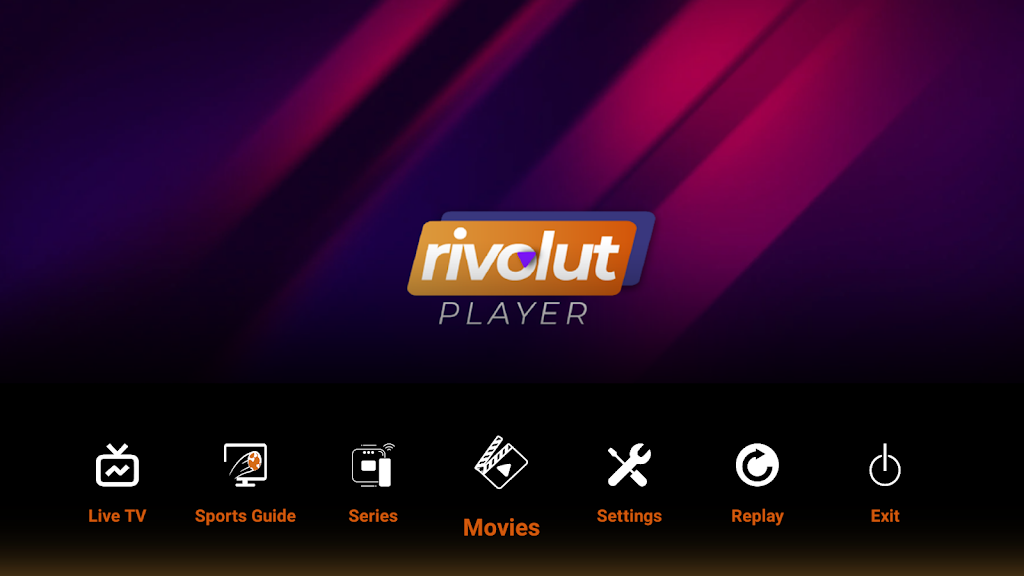
The live Store SAT product page mentions Android, iOS, Windows, PCs, iPhone and iPad use cases and lists support for common media formats including M3U, M3U8, MP4, AVI and AAC. Confirm the exact app build available on your device before paying for activation.
The current Store SAT page describes Rivolut Player as a media player that can work across Android, iOS and Windows environments, with support for managing more than one subscription or playlist. App availability still depends on the exact device and operating-system version.
| Platform | What to check | Before ordering |
|---|---|---|
| Android / Android TV | App availability and version | Open the app and confirm device details |
| iOS / Apple devices | Current supported app version | Verify your OS version |
| Windows | Compatible desktop build | Confirm login or playlist method |
| Smart TV | TV app-store availability | Do not buy activation before confirming the app installs |
For another activation option, compare Hot Player IPTV Subscription Activation.
Where to find the Rivolut Player device ID or MAC
- Install Rivolut Player on the exact device you want to activate.
- Open the app and look for the Device ID, MAC address or activation identifier shown on screen.
- Copy the identifier exactly.
- Do not reuse an identifier from another TV or device.
- Keep the app installed while activation is processed.
If you are comparing player interfaces, see IBO Player Subscription Activation.
Activate Rivolut Player step by step
The current page describes multiple subscription or playlist management, a customizable interface and playback up to HD or 4K depending on the source and hardware. Activation enables the player; it does not create a live-TV or VOD package by itself.
- Confirm the app installs and opens on your device.
- Copy the device ID, MAC address or code displayed by the app.
- Confirm the current Store SAT activation price and license duration.
- Submit the correct identifier with your order.
- Restart the player after activation.
- Add your own lawful IPTV playlist or account separately.
If you want another player before deciding, compare IPTV Smarters Player Subscription Activation.
Fix common Rivolut Player activation problems
- Still inactive: restart the app and confirm the submitted identifier matches the current device.
- No channels appear: activation does not include content; add a valid playlist or IPTV account.
- Wrong device was activated: contact support immediately with the submitted and correct identifiers.
- App unavailable: confirm your device, OS and regional app-store availability before purchasing activation.
Payment methods and review status
The live Store SAT page lists region-specific payment methods including Visa, Mastercard and Apple Pay, with additional options that vary by country. Confirm the final currency and the method available to you before checkout.
The current Rivolut product page shows no customer reviews yet, so this rewrite does not invent a rating or testimonial.
Rivolut Player activation FAQ
Does Rivolut activation include IPTV channels?
No. It activates the media player only and does not include a channel or VOD subscription.
What identifier do I need?
Use the Device ID, MAC address or activation code displayed by Rivolut Player on the exact device you want to activate.
Can I use one activation on several devices?
License rules can be device-specific. Confirm the current license terms before ordering for multiple devices.
Does Rivolut support several playlists?
The current Store SAT page describes support for managing multiple subscriptions or playlists, subject to the app version.
What do I need after activation?
You still need your own lawful IPTV playlist or a separate viewing subscription compatible with the player.
Add an IPTV subscription separately if you need content
If the player is activated but you still need viewing access, browse the iptv subscription options separately. Player activation and content service are different purchases.

Reviews
There are no reviews yet.